
Android app

Starting solids without guesswork

Which food to introduce next, what to cook today, and what your baby has already tried — all in one app.

Get it on Google Play View plans
  • First 7 days free
  • No ads
  • Cancel anytime
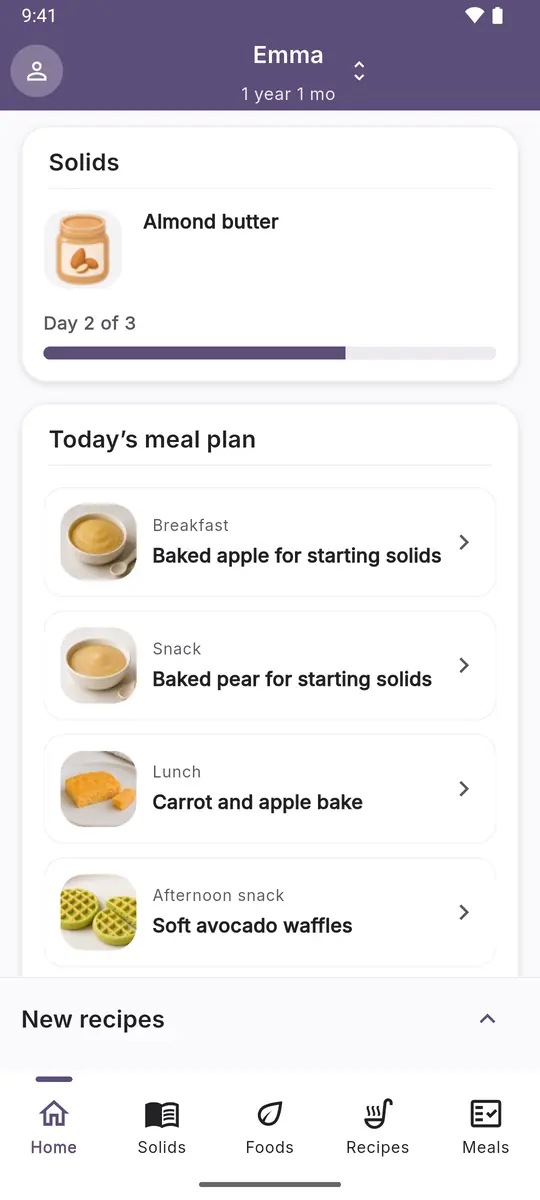
Home screen: the food being introduced and today’s meal plan
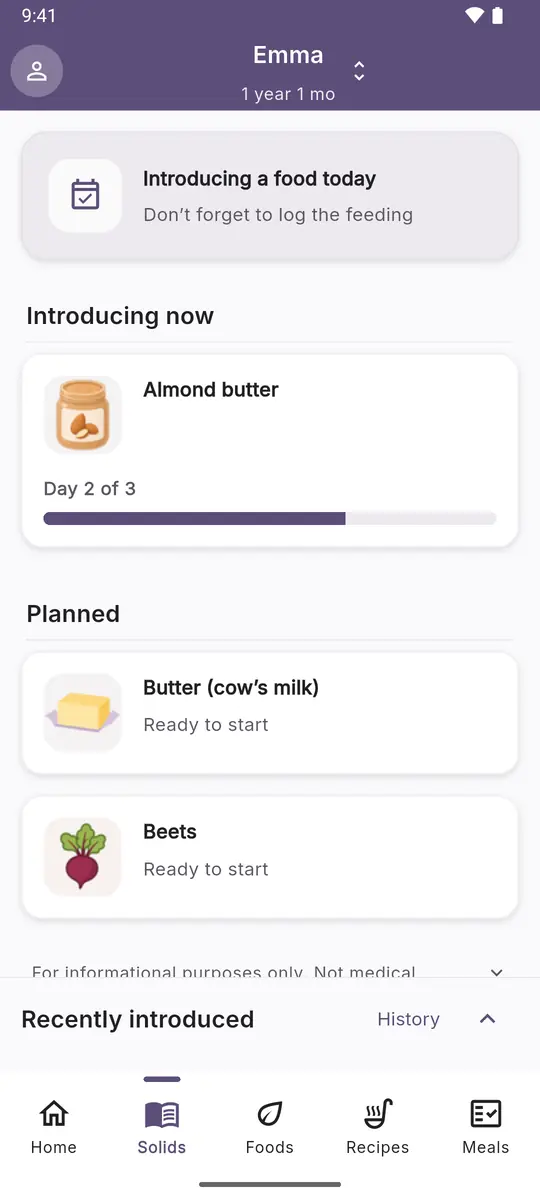
Solids screen: a food on day 2 of introduction and the planned foods
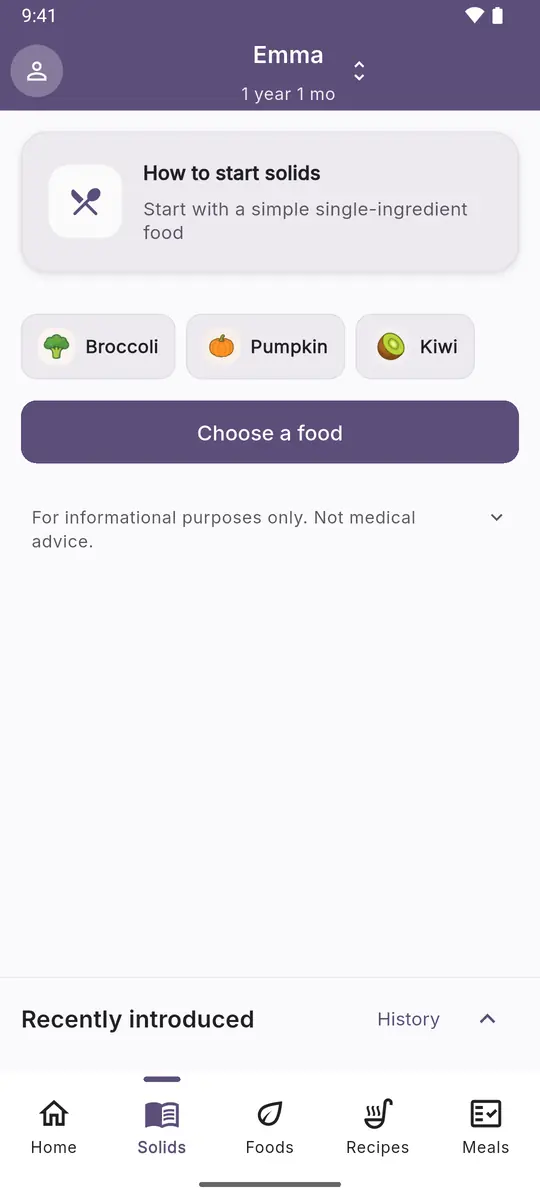
Solids screen before the first food: where to start and three foods to choose from
Sound familiar?

Starting solids turns into endless doubt

Foods are introduced one at a time, each one usually needs three days of watching, and every recipe has to be checked against your baby’s age. That’s too much to keep in your head.

  • 01 Not sure what to introduce today There’s a list of foods, but no order and no next step.
  • 02 Afraid of missing a reaction Three days of watching a new food are easy to lose in a busy week.
  • 03 Every recipe means another search And another check: is this fine at seven months, is there an allergen?
  • 04 The weekly meal plan never comes together By evening, meals get decided in a rush from whatever’s on hand.
Inside the app

Everything you need to start solids with confidence

Over 140 foods and 250 recipes. Everything adapts to your baby’s age and to what has already been introduced.

Every food links to its sources: WHO, NHS, CDC, and the American Academy of Pediatrics.

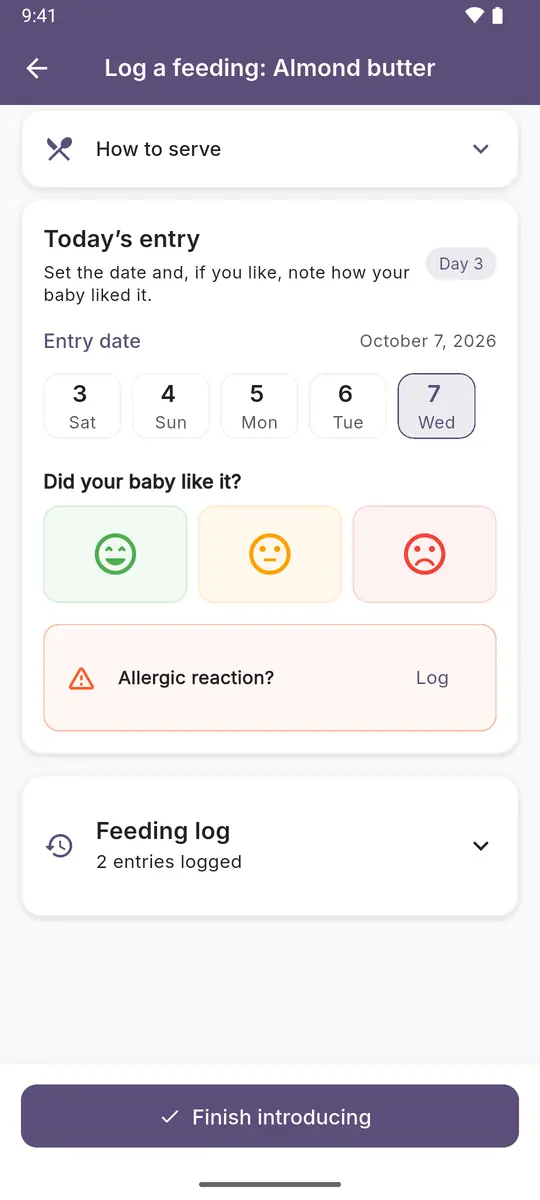
Feeding log: date, how the baby liked it, and a button to log an allergic reaction
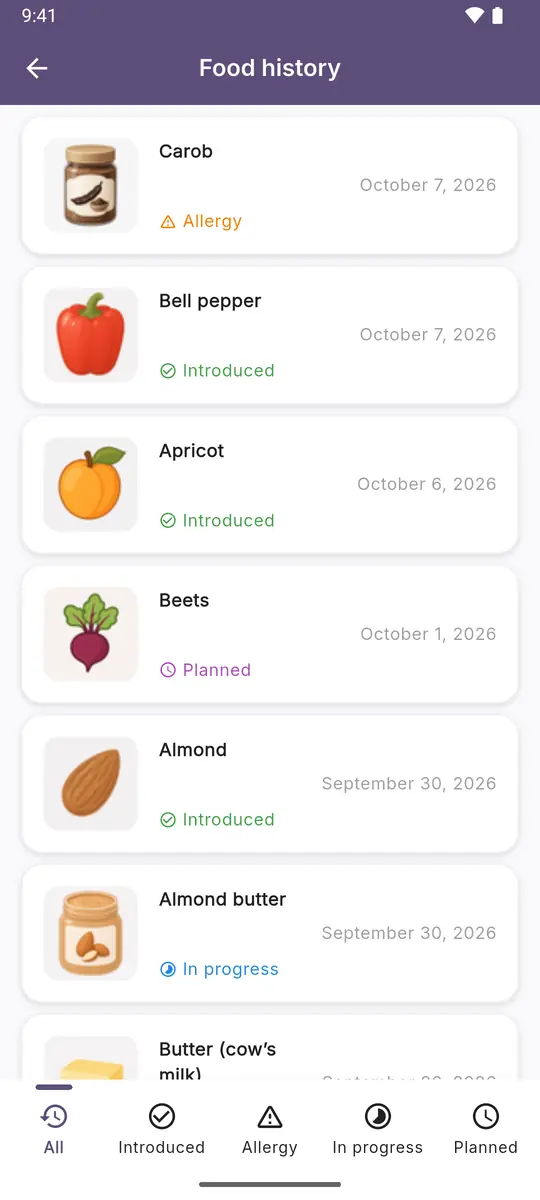
Food history: introduced and planned foods and a logged allergy
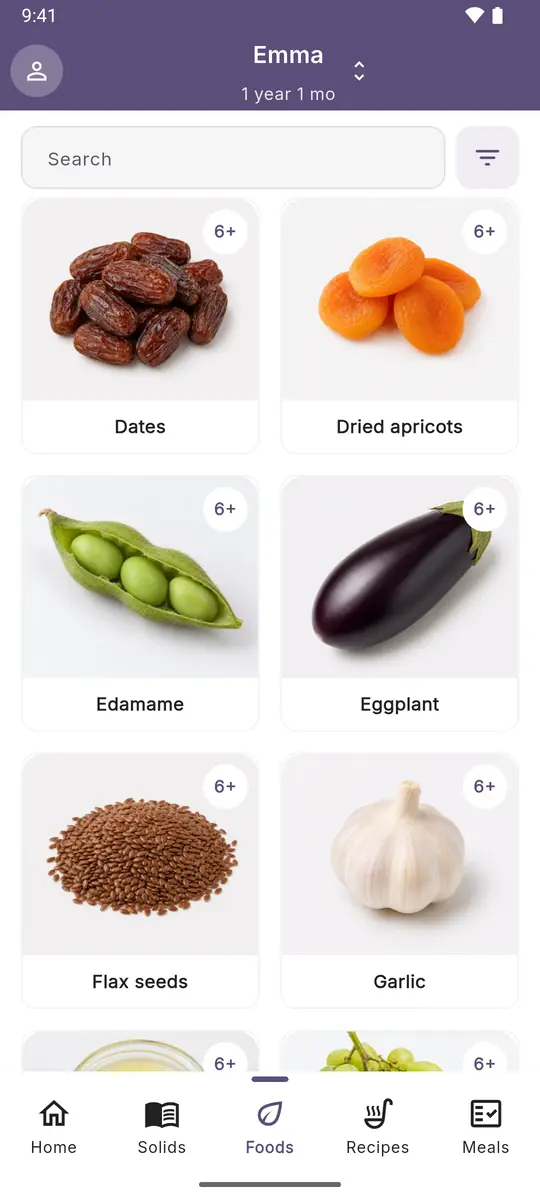
Food library with the starting age on every card
01 · Tracker

Always know where you are

A new food is usually introduced over three days, and you can change that. The app keeps count, shows what your baby already knows, and stores the reactions you log.

  • Log introduced foods and any reactions
  • See everything your baby already knows instead of trying to remember
  • Pick the next food without searching online
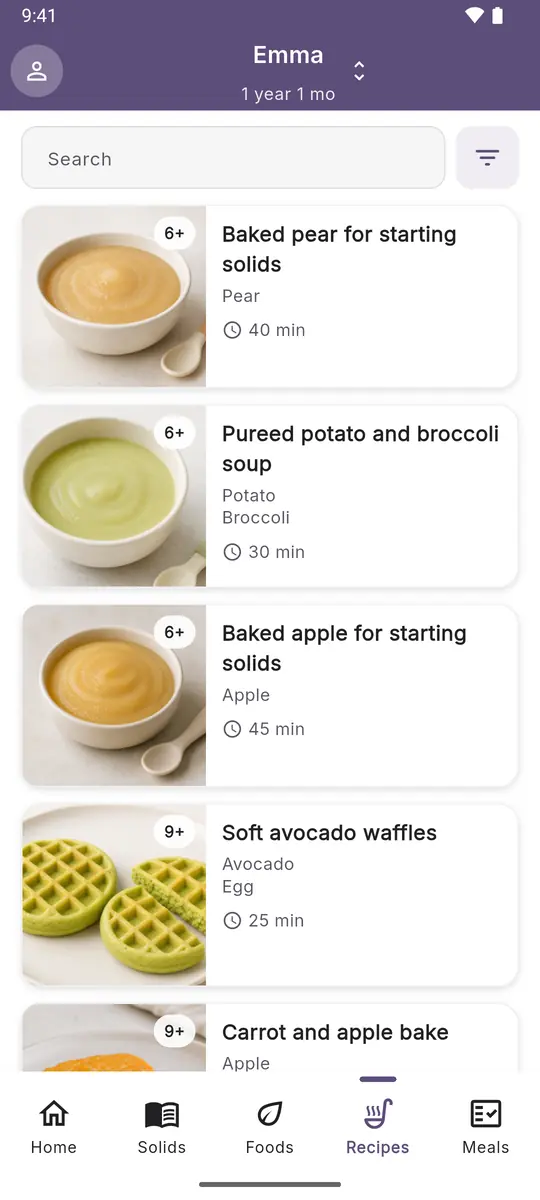
Recipes screen: dishes with an age label and cooking time
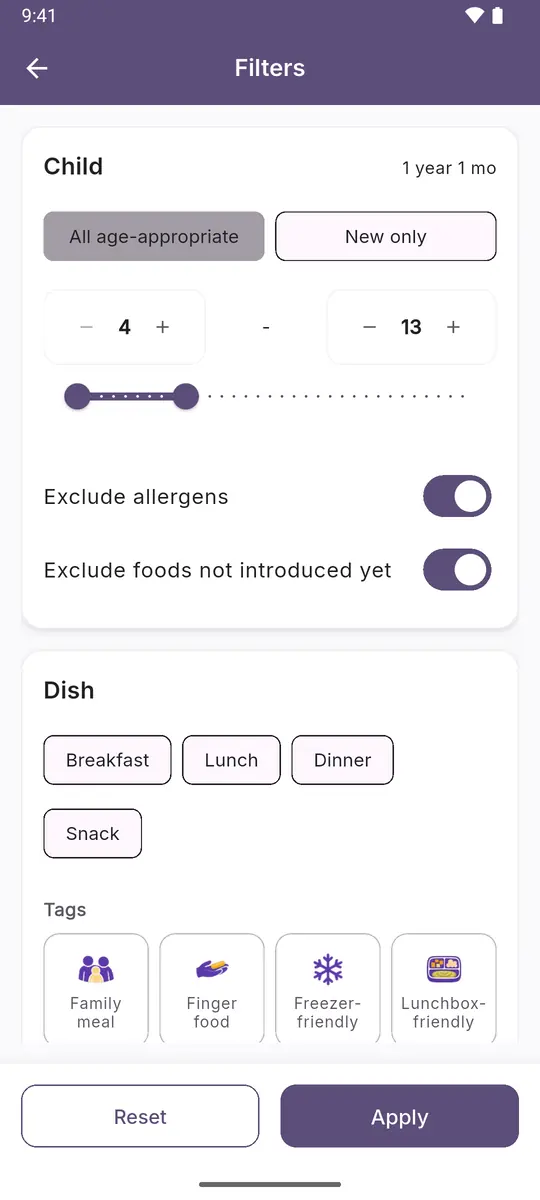
Recipe filters: age, excluding allergens and foods not introduced yet
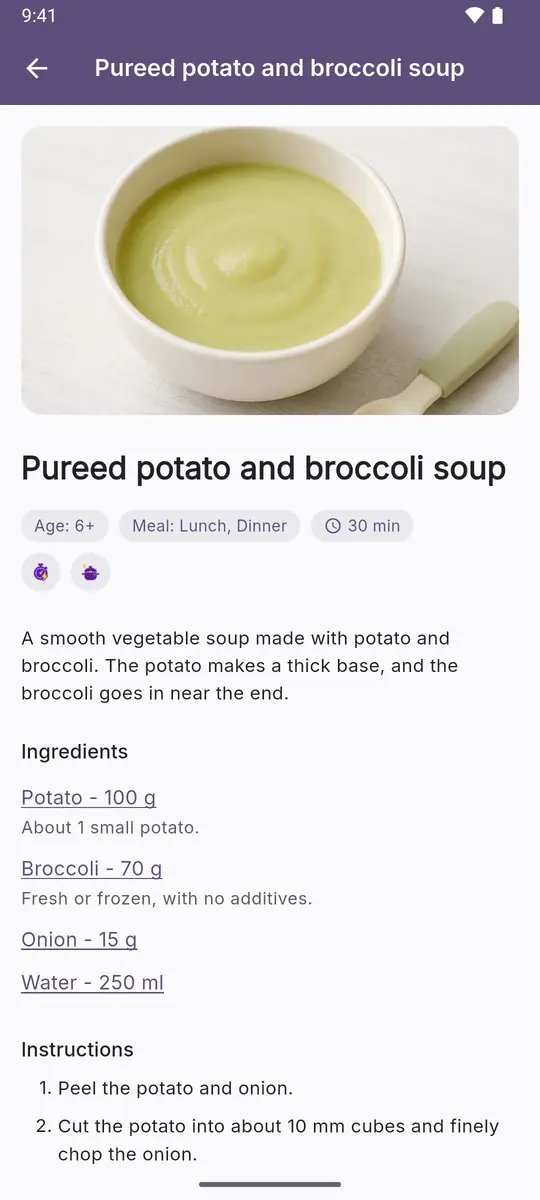
Recipe card: age, meal, time, and ingredients
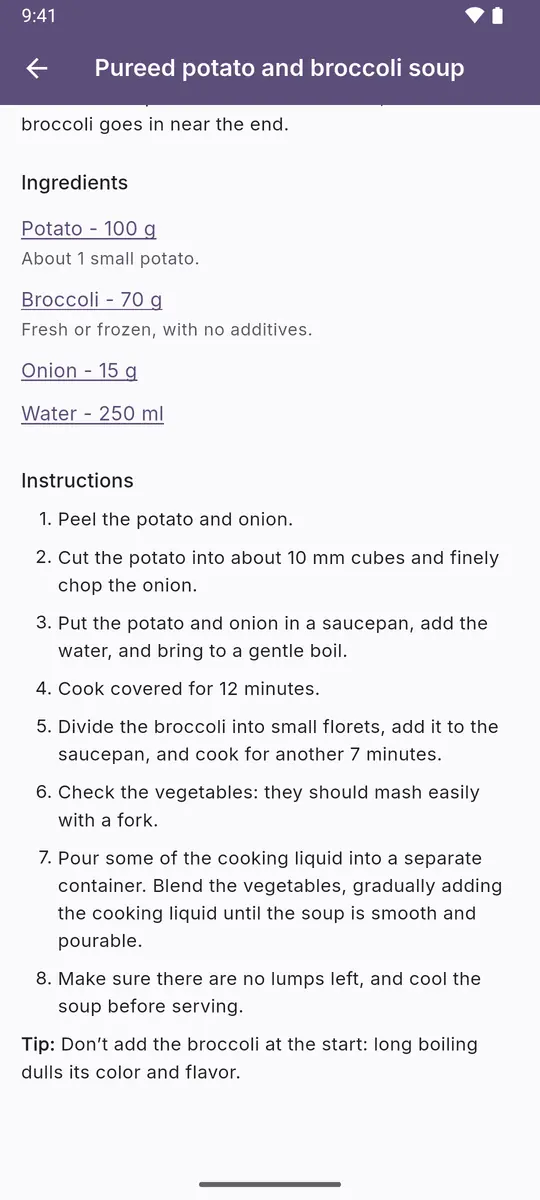
Recipe: ingredient amounts and cooking steps
02 · Recipes

Recipes for your baby’s age

Every recipe has an age label and cooking time. A filter by introduced foods hides anything that’s too early for now.

  • Matched to your baby’s age
  • Only from foods already introduced
  • Ingredients and time visible before you open a recipe
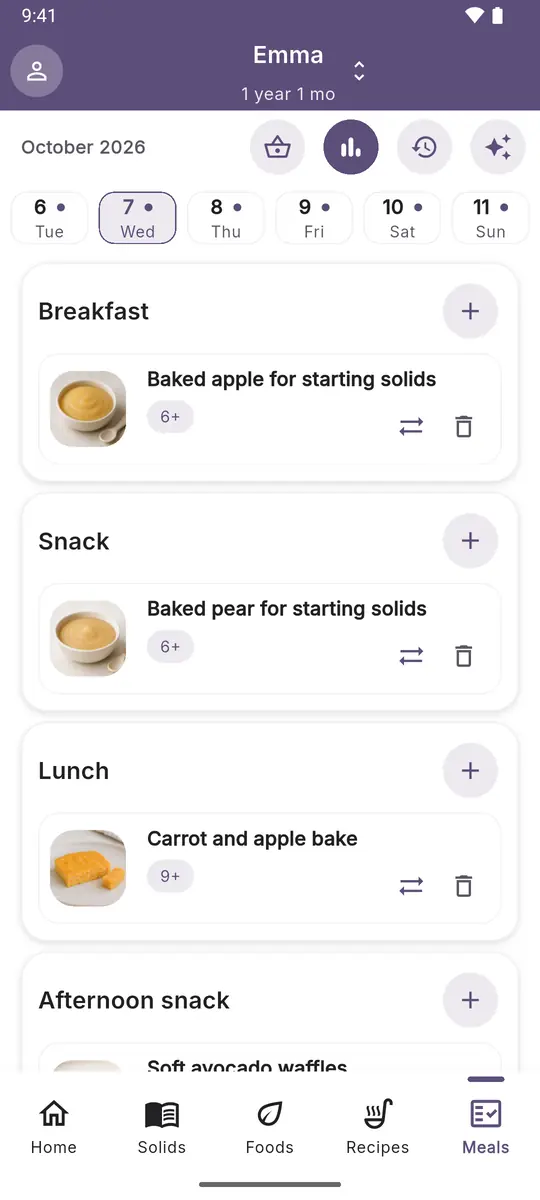
Daily meal plan: breakfast, snack, lunch, and afternoon snack
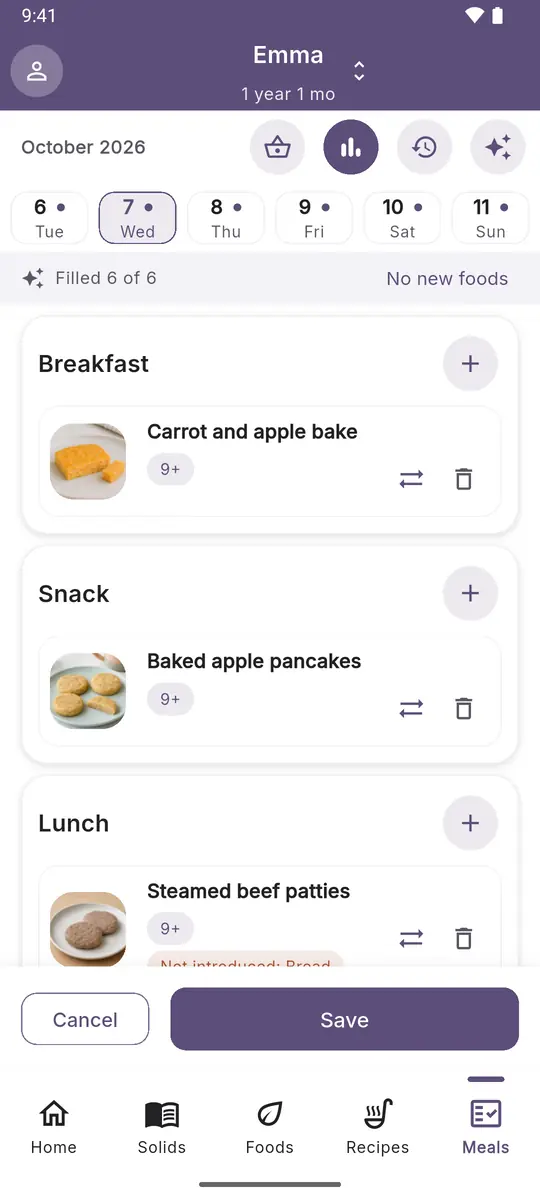
Auto-filled daily meal plan: a draft you can save or cancel
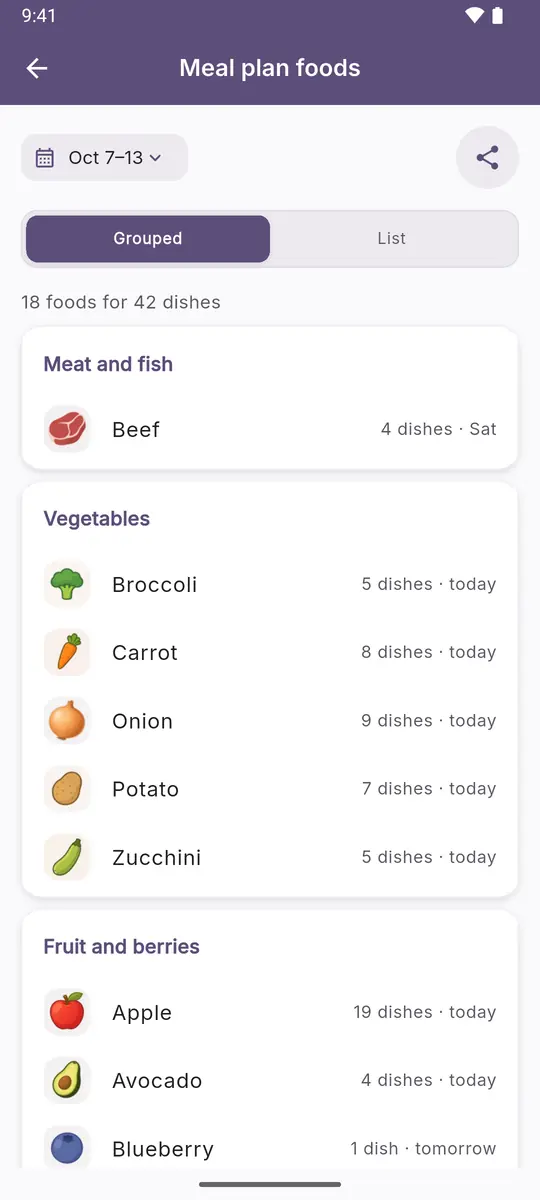
Foods for the weekly meal plan, grouped by type
03 · Meal plan

A week planned in advance

Breakfast, lunch, dinner, and snacks are laid out by day. Swap a dish with one tap without rebuilding the whole week.

  • A plan several days ahead
  • Keeps a balance of foods and dishes
  • Fewer evening decisions about what to cook
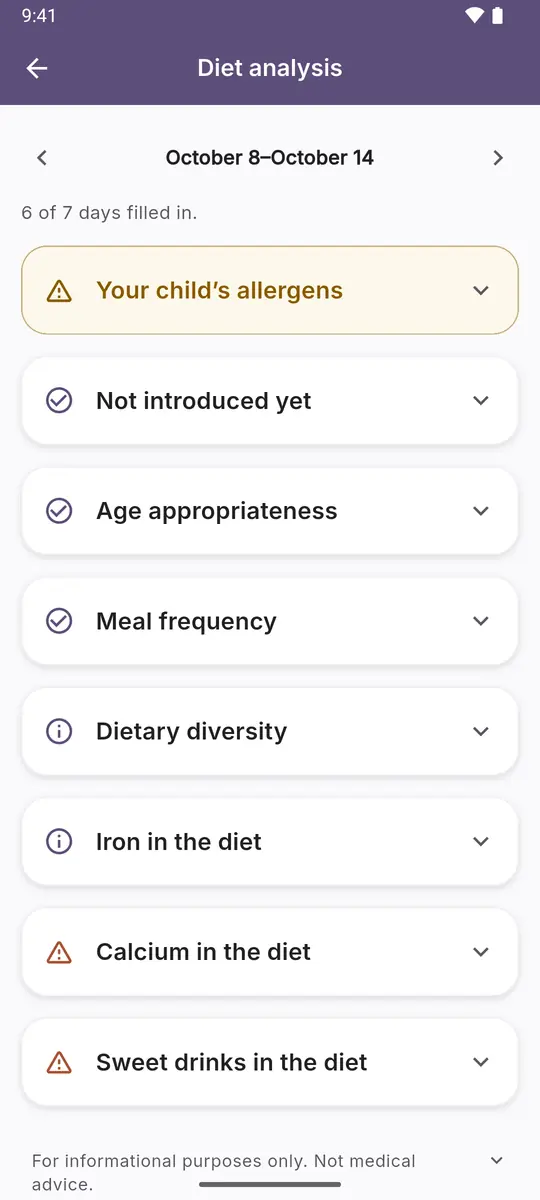
Weekly diet analysis: every check with its status
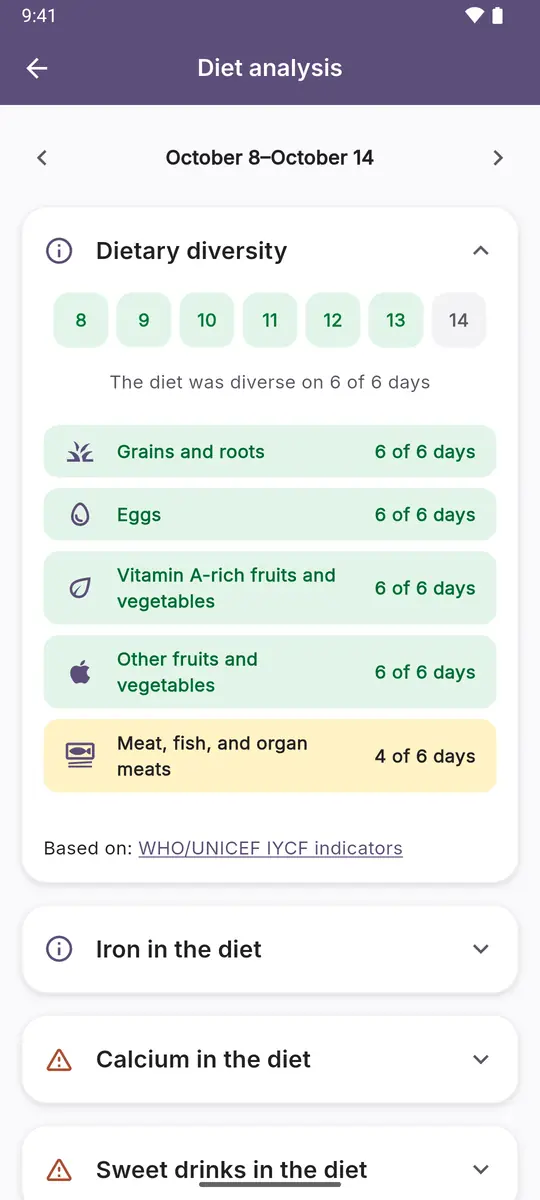
Diet analysis: dietary diversity by food group across the week
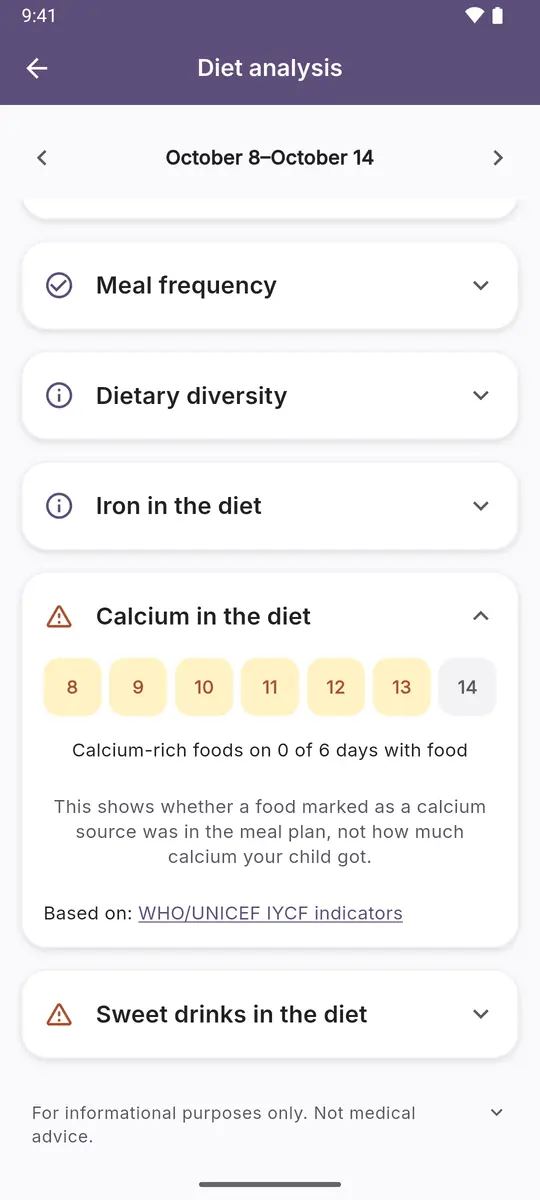
Diet analysis: calcium in the diet needs attention
04 · Diet analysis

A check done for you

The app reviews the meal plan you built: your baby’s allergens, foods not introduced yet, age fit, meal frequency, and dietary diversity.

  • Tips based on age and foods already introduced
  • See what can be introduced next
  • Dietary diversity shown by food group
Allergens

Allergens under control

Log a food your baby reacted to. It gets flagged in the catalog, recipes with it get a warning, and auto-fill steers around them.

  • One switch in the filter hides everything that contains the allergen
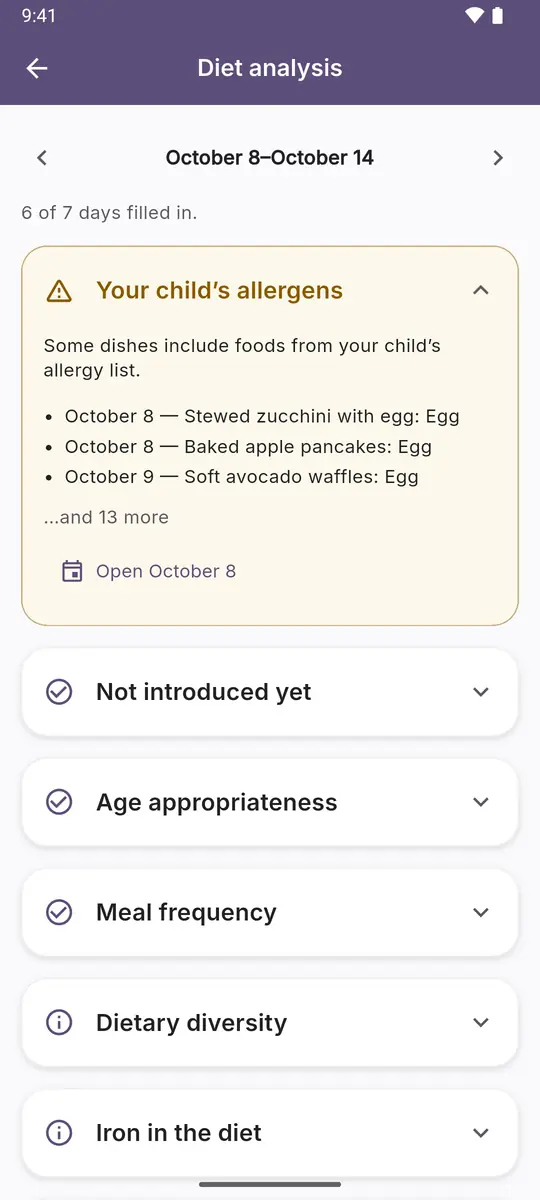
  • Diet analysis lists dishes with the allergen separately, along with possible cross-reactivity
  • Log a reaction and it stays in the food’s history
The app doesn’t diagnose

Decide on introducing allergenic foods together with your pediatrician.

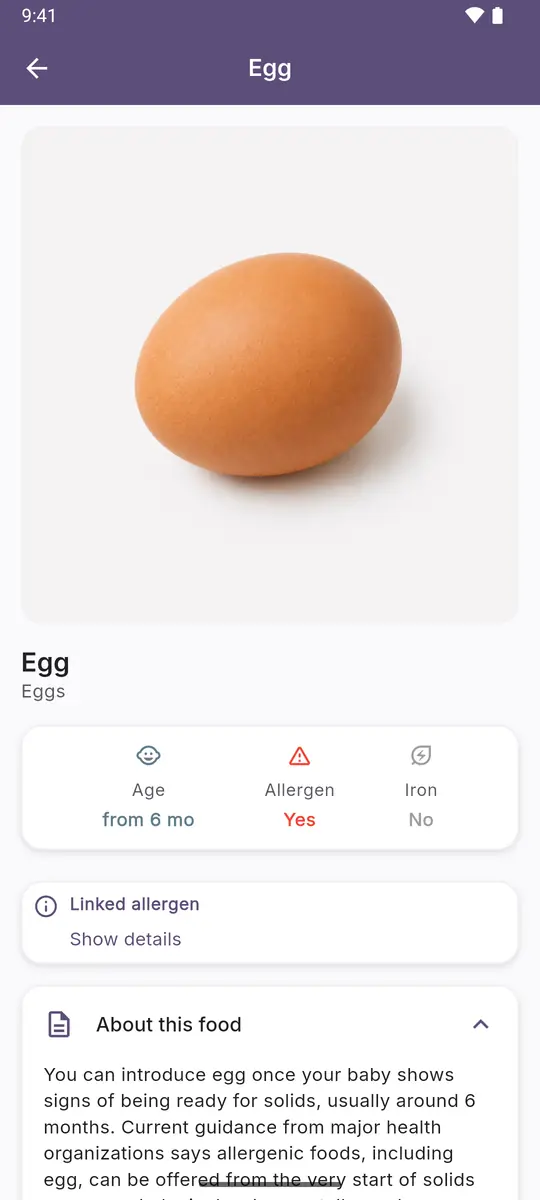
Food card: egg marked as an allergen
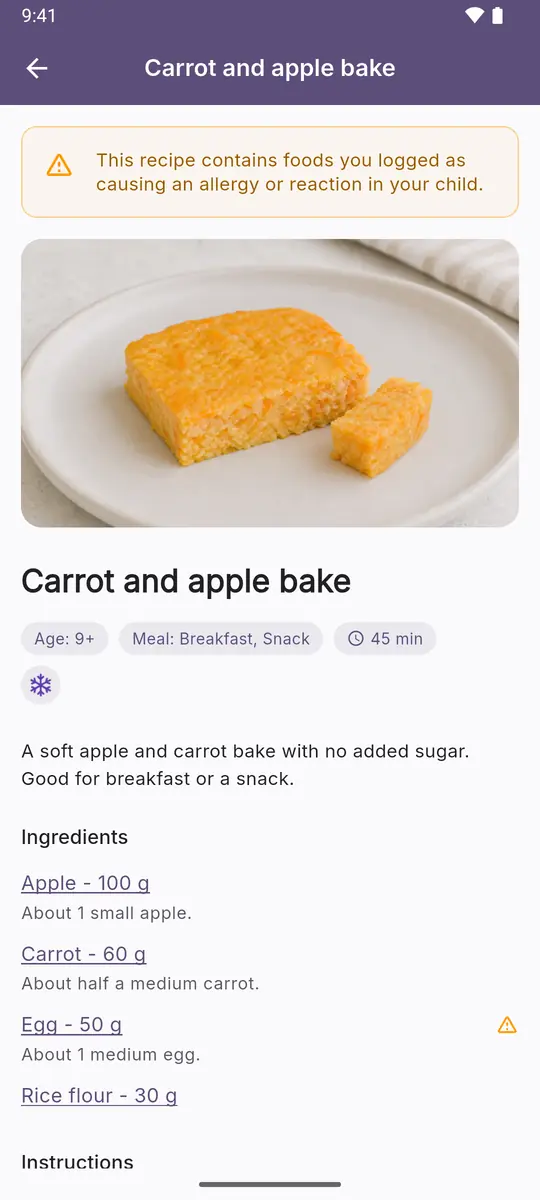
Recipe with a warning: it contains a food your baby is allergic to
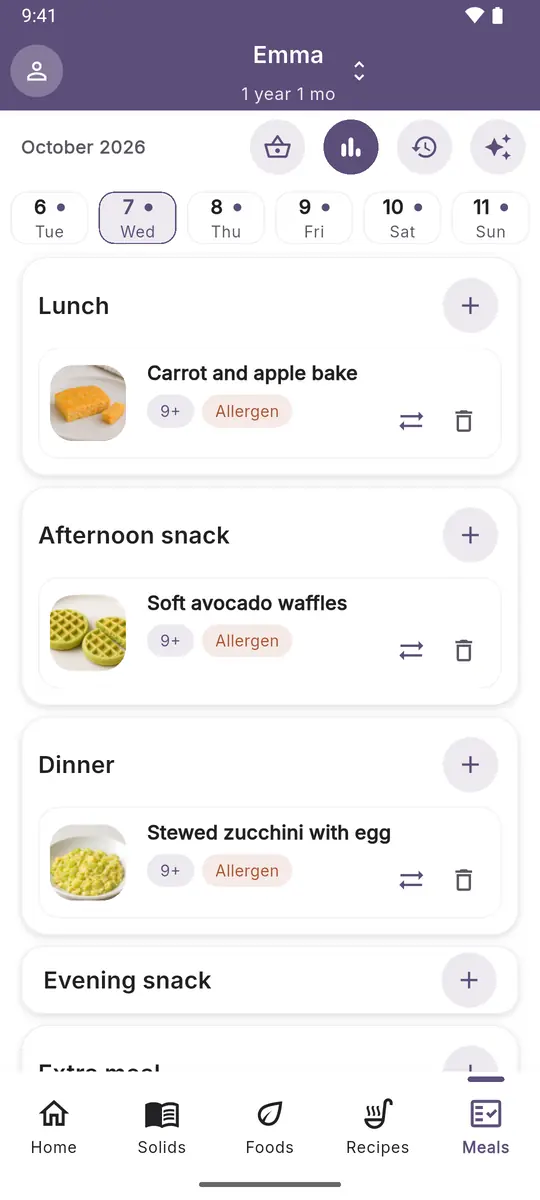
Daily meal plan: dishes with your baby’s allergen are flagged
Diet analysis: this week’s dishes that contain your baby’s allergen
Getting started

Three steps, then the app leads the way

Step 1

Add your baby

Name and age. From then on you only see suitable foods and dishes.

Step 2

Log what’s introduced

What your baby has tried, any reactions, and which allergens are off-limits.

Step 3

Open today’s meal plan

Recipes, tips, and a meal plan come together for your baby.

Result

Understand faster what your baby can eat now and what to introduce next.

Get the app
Pricing

Choose a convenient period

$29.99 billed yearly

$2.50/month

A full year of access for calmer planning of new foods, meal plans, and recipes.

Start 7-day free trial

Price may vary by country and region.

Best choice Included
  • First foods database
  • Age-based recipes
  • Weekly meal plan
  • Solids tracker
  • Tips on what to introduce next

How the free trial works

  1. Today

    Start it in Google Play

    You’ll need a payment method on your Google account, but nothing is charged for the first 7 days.

  2. Days 1–7

    Use everything

    The tracker, recipes, weekly meal plan, and diet analysis, with no limits.

  3. Before day 7 ends

    Decide

    Not for you? Cancel in Google Play → Subscriptions, and you won’t be charged. If you keep it, the subscription continues on the plan you chose.

Without a subscription, the app still gives you the food guide: when to introduce each food, how to serve it by age, and which foods are common allergens. Logging foods and your baby’s allergies needs a subscription.

FAQ

Quick answers

Didn’t find an answer? Write to support@feedingstart.com.

What age is the app for?

Solids usually start at around six months, but the timing is different for every baby. You can install the app earlier: add your baby, look around, and plan the first foods ahead. It’s designed for ages up to three years.

Is this medical advice?

No. The app is a reference and a planner, and every food lists its sources: WHO, NHS, CDC, and AAP. Make decisions about your baby’s diet together with your pediatrician.

What is free?

The food guide, always: when to introduce each food, how to serve it by age, and common allergens. Everything else is free for the 7-day trial, then with a subscription. See how the trial works under Pricing.

Where is my baby’s data stored?

In your account. You can lock the app with device confirmation — fingerprint or screen lock code.

Does it work offline?

Foods and recipes you’ve already opened are available offline. Entries, meal plans, and other changes are saved only when you’re online.

Is there an iPhone version?

Not yet, but an iPhone version is planned. For now, the app runs on Android 7.0 and newer.

Start solids with more confidence today

Install the app, add your baby, and see the meal plan for the first day. The first 7 days are free.

Get it on Google Play Have questions?
QR code linking to the app on Google Play Point your phone camera